

Mixed reality collaboration is changing how teams review designs, discuss spatial problems, and make decisions around 3D work. Instead of flattening a product, environment, or prototype into slides, teams can stand around a shared digital object, inspect it at scale, and understand how it behaves in context.
For Mimic XR, this connects directly to mixed reality solutions, virtual world development, 3D modeling, AR visualization, and smart avatars. The opportunity is not only visual polish. It is a better way for distributed teams, clients, trainers, engineers, creatives, and decision-makers to see the same thing at the same time.
This guide explains where mixed reality collaboration fits, how it differs from standard video meetings, which use cases are strongest, what data and assets are required, and how to measure whether spatial review is reducing rework instead of adding another tool to the stack.
Key takeaways
Mixed reality collaboration is changing how teams review designs, discuss spatial problems, and make decisions around 3D work.
Instead of flattening a product, environment, or prototype into slides, teams can stand around a shared digital object, inspect it at scale, and understand how it behaves in context.
For Mimic XR, this connects directly to mixed reality solutions , virtual world development, 3D modeling, AR visualization, and smart avatars.
It is a better way for distributed teams, clients, trainers, engineers, creatives, and decision-makers to see the same thing at the same time.
Mixed reality collaboration lets two or more people interact with digital content that appears anchored to physical space.
Table of Contents
What Mixed Reality Collaboration Means
Mixed reality collaboration lets two or more people interact with digital content that appears anchored to physical space. A designer can place a vehicle interior in a meeting room, a training team can rehearse a procedure around a life-size machine, or a client can walk through a virtual venue before anything is built.
The key difference is shared spatial understanding. Participants are not only looking at the same file. They are reviewing position, scale, orientation, movement, ergonomics, and sequence. That makes mixed reality collaboration especially valuable when a decision depends on how something feels in the world, not only how it looks on a screen.
This is part of a broader shift toward extended reality as a spatial interface. When XR content becomes a shared workspace, teams can make decisions with fewer assumptions and clearer evidence.
Why Design Reviews Need Spatial Context
Traditional design reviews are useful, but they often hide the very problems teams need to solve. Screenshots compress depth. Video calls limit body language and scale. CAD viewers can be difficult for non-technical stakeholders. Physical prototypes take time and budget, especially when changes are frequent.
Spatial review comparison
Screen reviews are fast, but they can miss scale, clearance, user movement, and real-world placement.
Physical prototypes are tangible, but they slow iteration and can become expensive when requirements change.
Virtual reality is immersive, but it usually removes the physical room from the review experience.
Mixed reality keeps the real environment visible while adding shared 3D content, annotations, and interactive layers.
This is why teams that already use 3D modeling and asset creation can unlock more value when those models are optimized for real-time review instead of staying trapped inside production tools.

Benefits for Product, Training, and Creative Teams
The strongest benefit is faster alignment. When engineers, executives, trainers, artists, clients, and frontline users can inspect the same spatial experience, feedback becomes more concrete. People can point to the issue, annotate it, move around it, and understand what must change.
Less rework: teams catch spatial conflicts, confusing flows, and unrealistic assumptions earlier.
Clearer stakeholder buy-in: non-technical reviewers can understand the experience without reading technical drawings.
Better training design: teams can test whether learners see the right cues, reach the right controls, and follow the right sequence.
Stronger creative direction: directors, brand teams, and experience designers can judge pacing, scale, and audience movement together.
The same thinking supports XR training simulations because reviewers can validate the learning environment before learners ever enter it. If a simulation is meant to teach a procedure, the review should test realism, instruction clarity, safety cues, assessment points, and emotional load.
Use Cases Across Industries
Mixed reality collaboration is most useful when teams must review something three-dimensional, expensive to change, hard to explain, or tied to a physical environment. That makes it relevant across several Mimic XR industry clusters.
Product and retail teams: review product scale, materials, packaging, in-store placement, AR demos, and customer interaction flows.
Architecture and manufacturing teams: inspect layouts, equipment access, safety zones, installation paths, and maintenance workflows.
Training and education teams: test learner attention, instructor guidance, assessment design, and real-world task transfer.
Film, media, and events teams: review virtual sets, stage extensions, audience sightlines, interactive story moments, and sponsor activations.
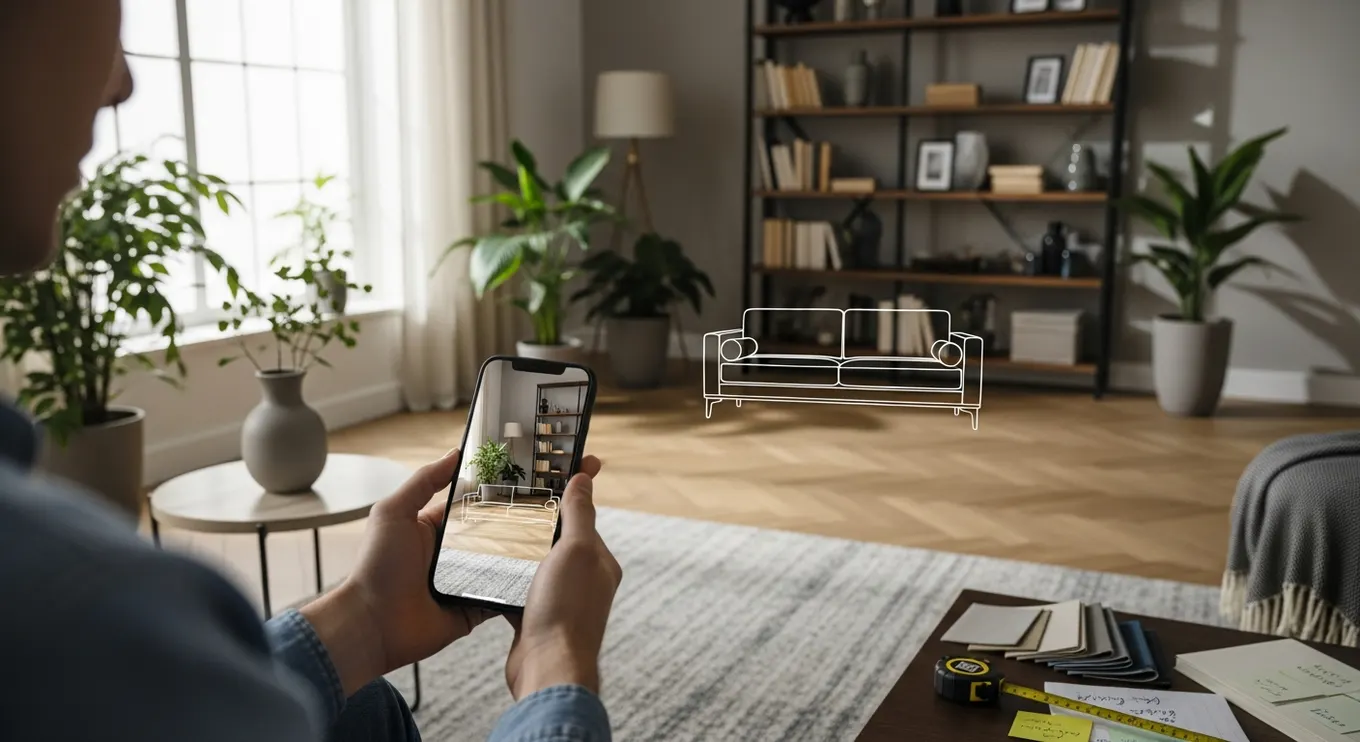
A review workflow may also connect with AR product visualization when the same product model needs to support internal approvals, customer-facing previews, sales demos, and installation support.
Customer and Stakeholder Journey Impact
Spatial collaboration changes the journey because it moves key decisions earlier. Stakeholders can evaluate the idea before production, customers can understand the offer before purchase, and employees can practice before entering a real high-pressure situation.
Discovery: teams identify spatial requirements, physical constraints, user goals, and success criteria before building the full experience.
Consideration: clients and buyers explore an interactive prototype instead of relying only on decks, mood boards, or technical descriptions.
Approval: reviewers annotate issues, compare versions, and decide what must change before money is spent on production or installation.
Launch and support: the approved model can become part of onboarding, demos, training modules, documentation, or remote support.
This makes spatial collaboration a bridge between strategy and production. It helps teams move from abstract approval to usable XR content with less translation loss.
Data and 3D Asset Requirements
A good mixed reality review depends on clean inputs. The goal is not to show every possible polygon or system detail. The goal is to show the right level of fidelity for the decision being made.
3D models optimized for real-time performance, including sensible geometry, materials, scale, and interaction zones.
Spatial context such as room dimensions, product placement, user pathways, lighting assumptions, and device constraints.
Review logic including annotation categories, approval stages, version control, stakeholder roles, and decision records.
Interaction requirements such as gestures, object manipulation, voice commands, multi-user presence, avatars, and shared cursors.
Integration requirements for asset libraries, product data, learning systems, CRM tools, analytics, or project management systems.
When real objects, spaces, or performers must be reproduced accurately, 3D scanning and photogrammetry can help create digital twins that are accurate enough for review without slowing the experience down.

Implementation Roadmap
The safest way to adopt mixed reality collaboration is to begin with one decision workflow, not an entire enterprise transformation. Start where spatial context clearly affects cost, speed, quality, safety, or stakeholder trust.
Choose the review moment: define whether the pilot is for product approval, training design, client presentation, layout planning, or creative direction.
Prepare the model: optimize assets, simplify unnecessary detail, set real-world scale, and define the interactions reviewers need.
Design the session: decide who joins, what they can annotate, how feedback is captured, and what counts as approval.
Run a controlled pilot: compare the mixed reality review against the current review method and capture time, clarity, and rework outcomes.
Scale the reusable layer: turn approved models, annotations, and review patterns into templates for future projects.
If teams need guided characters, hosts, or interactive assistants inside the review, smart avatars and NPCs can help explain options, route reviewers, or simulate user behavior inside the scene.
Mistakes to Avoid
The biggest mistake is treating mixed reality collaboration like a novelty demo. A beautiful 3D scene can still fail if it does not support a specific decision, workflow, or audience.
Starting with devices before defining the review problem and business goal.
Using production-heavy models that look impressive but perform poorly in real-time environments.
Inviting every stakeholder without defining who can comment, approve, defer, or request a change.
Overloading the scene with labels, dashboards, and controls that distract from the review object.
Failing to turn annotations into decisions, owners, deadlines, and version history.

KPIs That Prove Value
Mixed reality collaboration should be measured as a decision tool. The goal is to prove that the spatial review helped teams move faster, catch issues earlier, or communicate more clearly than the previous process.
Decision speed: review duration, approval cycle length, number of revision meetings, and time from review to sign-off.
Rework reduction: issues found before production, avoided prototype changes, fewer installation clashes, and fewer late-stage surprises.
Stakeholder clarity: fewer unresolved comments, higher confidence scores, better client comprehension, and cleaner handoff notes.
Content reuse: number of models reused for demos, training, onboarding, marketing, service support, or future virtual environments.
Measurement also protects the experience from becoming decorative. If a review does not shorten decisions or improve understanding, the workflow should be simplified before it scales.
Privacy, Security, and Responsible AI
Mixed reality collaboration can involve camera feeds, room scans, voice notes, user behavior, product IP, client approvals, and performance data. Teams should define what is captured, who can access it, where it is stored, and how long it is retained before the first session.
If AI guides or digital humans are added, responsible design becomes even more important. AI should stay within approved knowledge, explain uncertainty, avoid unsafe claims, and escalate complex decisions to humans.
Security rules should also consider client confidentiality. Many spatial reviews reveal unreleased products, building layouts, production methods, or creative concepts. Role-based access, recording controls, watermarking, and clear session policies help teams collaborate without exposing sensitive material.
Future Trends
The future of mixed reality collaboration will be lighter, more intelligent, and more connected to the content pipelines teams already use. Headsets will improve, but mobile AR and browser-based 3D review will also keep spatial collaboration accessible for teams that are not ready to standardize on hardware.
AI will help summarize sessions, identify repeated comments, compare design versions, translate feedback, and suggest next review steps. Digital humans may become guides inside virtual spaces, helping stakeholders navigate options, ask questions, and understand tradeoffs without turning the review into a passive presentation.
The strongest programs will treat mixed reality collaboration as part of a larger XR ecosystem. The same assets can support virtual environments for simulation, customer demos, internal training, product visualization, and remote support. That is where spatial content begins to compound in value.
FAQ
What is mixed reality collaboration?
Mixed reality collaboration lets teams review and interact with shared digital content that is anchored to real space, so people can evaluate scale, placement, movement, and context together.
How is mixed reality different from virtual reality for reviews?
Virtual reality places users inside a fully digital environment. Mixed reality keeps the physical environment visible while adding digital objects, overlays, annotations, and interactive 3D content.
Do design reviews need headsets?
Not always. Some workflows can start with mobile AR or browser-based 3D review. Headsets become useful when teams need hands-free review, life-size scale, deeper spatial anchoring, or multi-user presence.
What assets are needed for a mixed reality review?
Teams usually need optimized 3D models, correct scale, simplified materials, review goals, interaction rules, spatial context, stakeholder roles, and a way to capture annotations or decisions.
Can mixed reality collaboration reduce project costs?
It can reduce costs when it helps teams catch spatial issues earlier, shorten approval cycles, reduce physical prototypes, avoid installation mistakes, and reuse assets across demos, training, and support.
How should a company start a pilot?
Start with one review workflow where spatial context clearly matters. Prepare a lightweight 3D model, define the decision goal, invite a focused reviewer group, and compare outcomes with the current process.
Is mixed reality collaboration secure?
It can be secure when access, recording, retention, client confidentiality, room scanning, product IP, and user permissions are planned before sessions begin.
Can AI support mixed reality collaboration?
Yes. AI can summarize sessions, organize comments, compare versions, translate feedback, or power digital guides, but it should stay within approved knowledge and escalate important decisions to humans.
Conclusion
Mixed reality collaboration works because it gives teams a shared spatial truth. Instead of debating what a model might mean, reviewers can inspect it together, understand scale, point to issues, compare options, and decide what should happen next.
The best programs start with one high-value review workflow, use optimized 3D assets, capture decisions clearly, and measure whether the experience reduces rework, improves stakeholder clarity, and creates reusable XR content for the future.
Talk to Mimic XR about mixed reality collaboration, 3D design review, virtual environments, AR visualization, and spatial workflow development that helps teams make clearer decisions before production, installation, or launch.
Sources and further reading
Microsoft Learn — Mixed Reality: official mixed-reality development concepts and platform guidance.
Khronos Group — OpenXR: the open standard for portable AR and VR applications.
W3C — WebXR Device API: the web standard for accessing virtual- and augmented-reality devices.
About this article
Mimic XR is an extended reality production studio based in Potsdam, Germany. This article provides general planning information; project decisions should be validated against current hardware, platform, privacy and operational requirements.
Creation note: AI tools assisted with drafting and structure. Mimic XR reviewed and is responsible for the published content. External technical sources are linked where relevant. Last reviewed: 29 October 2026.


