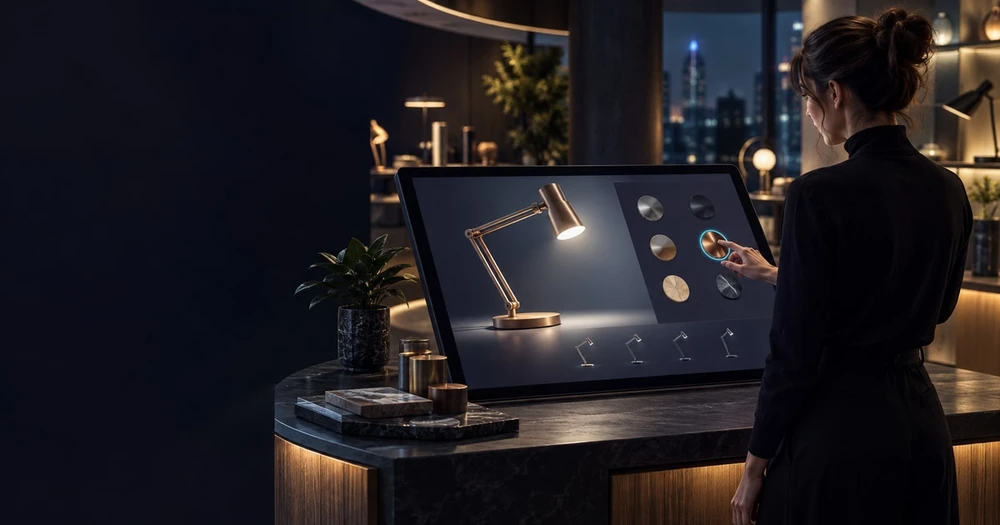
The best 3D product configurator examples help a customer make a decision, not simply rotate an attractive model. Product options, accurate materials and a useful next step matter as much as visual polish. This guide examines publicly documented examples and turns them into planning criteria. Sources were checked on 5 October 2026; it does not claim a live performance benchmark or verified conversion uplift.
Cover image: editorial concept illustration. It does not depict a tested device comparison or a Mimic XR client project.
In this guide
Porsche: carry personalisation into the next step
Porsche’s 911 Spirit 70 Vision Pro application describes a spatial personalisation journey with colours and materials on a digital vehicle. Its documented handover includes continuing in the Car Configurator or creating a Wallet pass. The useful lesson is continuity: the selected experience should lead somewhere meaningful.
This is a manufacturer example, not Mimic XR client work. For your own project, define the information that must survive the journey: model, finish, compatible options and a configuration identifier. Avoid making visitors repeat their choices when they request a quote or speak to sales.
IKEA Kreativ: show the product in a decision context
IKEA’s Kreativ guide describes room design using photos, supported scanning and a room builder. It also states current limitations. This is a spatial planning example rather than a claim that every product supports unrestricted configuration.
The lesson is to match visualisation to uncertainty. A customer choosing furniture may need to understand arrangement and scale. A customer selecting equipment may need to compare dimensions, access space or compatible components. Build the feature that addresses that question.
A configurator needs product rules
Separate visual changes from valid product combinations. A finish or accessory may depend on model, region or availability. Decide where those rules live, who approves them and what happens when the catalogue changes.
Use a stable configuration identifier and validate the final selection against the authoritative product data. A beautiful scene with an impossible combination creates work for the sales team. Make unavailable or incompatible options understandable instead of silently changing a choice.
Furniture configurator example: specify the complete decision
Consider a fictional modular sofa range. A useful configurator lets a customer choose the number of seats, finish and chaise position, then carries that exact selection into an enquiry. This is a planning example, not a customer case study or a currently available furniture product.
Start with a product family: define the module widths, overall dimensions, orientation convention and approved material names.
Separate visual options from rules: a colour swap changes appearance; adding a chaise changes dimensions and potentially compatible combinations.
Explain restrictions: if a compact model cannot support a chaise, disable the option with a reason. Do not silently substitute a different product.
Keep a readable selection summary: show dimensions, orientation and selected finishes outside the 3D view so customers can review their choices.
Preserve the handover: supply a configuration reference and human-readable summary in the quote request. Recheck catalogue validity before any sale.
A 3D furniture configurator should make the next decision easier for both the buyer and the sales team. Agree whether the experience ends in an enquiry, a saved selection or checkout. Each route needs different validation and integration work.
To turn a sofa example into a testable production brief, read the modular sofa configurator development guide. It works through component rules, material restrictions and an enquiry handover using a clearly labelled fictional product family.
What to send a configurator development team
Provide one representative product with dimensions, available CAD or model files, photographs, finish references and a structured options list. Include the combinations that are not allowed as well as those that are. Identify the person who can approve each rule and the system that holds the current product data.
State which catalogue changes are expected after launch. A changing range needs a practical update process for geometry, materials, option labels and availability. Ask the supplier to demonstrate one catalogue update during acceptance, rather than leaving maintainability as an assumption.
Prepare the asset and performance budget
Use approved dimensions, material references and product naming. Define which details need geometry and which can be represented more efficiently. Test the largest intended configuration on priority mobile devices before expanding the catalogue.
Keep an accessible alternative for essential specifications and options. Do not require a visitor to manipulate a 3D scene just to read a dimension or request information. Track completion of a useful task rather than treating every rotation as a sales outcome.
Turn inspiration into a scoped pilot
Begin with one representative product family, its important options and a clear handover. Test whether users understand the controls and can retrieve their selection. Record loading performance and support needs before scaling.
Compare 3D product configurator development with our furniture configurator service. To discuss a first product family, send your configurator requirements with the product range, selectable options, target devices and whether the journey should end in an enquiry or checkout.
Quote request or checkout: decide before integration
For a quote-led furniture range, the configurator can pass a product reference, dimensions and selected options to a sales review without calculating a final price. State clearly that availability and quotation require confirmation. Define what happens if the catalogue changes between saving a selection and requesting the quote.
Checkout adds a different responsibility: the receiving commerce system must validate the selected variant, price, availability and order details. Do not rely on a visual selection or browser-calculated price as the final order record. Ask the implementation team to demonstrate an unavailable option, a changed price and a failed handover before launch. Use the XR supplier-selection guide to compare who owns each integration and ongoing update.
Acceptance checks before expanding the catalogue
Complete the same selection with a mouse, touch and keyboard, including visible focus and readable labels.
Test the heaviest configuration on agreed mobile devices and connection conditions. Record the loading and interaction budgets in the scope.
Try unavailable combinations, reset the model and return to a saved selection. Confirm that the summary always matches the displayed options.
Test a failed enquiry and retry. Preserve selections, show a clear error and avoid duplicate submissions.
Verify the destination: the sales team should receive the product reference, chosen options and the enquiry context. A CTA click alone is not a delivered lead.
Measure a small funnel: demo started, valid configuration completed, enquiry started and enquiry successfully received. Compare lead quality with the existing product journey. No conversion uplift should be assumed from the presence of a 3D model.
Product asset evidence: Balmain 1945
Mimic Productions’ Balmain project breakdown describes a digital bag asset made for Sucuk & Bratwurst, including modelling, texturing and rigging. It illustrates product asset craft, not a furniture configurator implementation. The distinction matters: configuration rules, catalogue data and enquiry handover remain separate parts of an interactive project.
Compare 3D product visualization when you need stills or motion, product configurator development when buyers need approved choices, and AR product visualization when placement in a real space answers the buyer’s question.
Turn an example into your own project brief
Use the XR project brief builder to record the target audience, product family, source files and destination of the finished selection. Add a short rules document and one representative product before requesting comparable proposals.
Request a scoped configurator proposal by pasting the key points from your brief into the enquiry form. Include one representative product, available CAD or 3D assets, configuration rules, integration needs and preferred launch date. Mark unknowns as undecided; scope and price depend on the agreed requirements.
Frequently asked questions
Is a rotating model a configurator?
Not necessarily. A configurator lets people select meaningful product options governed by product rules.
Are these Mimic XR projects?
No. Porsche and IKEA are external examples credited to their published sources.
Do these examples prove a conversion increase?
No. This guide makes no verified conversion claim.
Does every product need AR?
No. Use AR when placement or scale helps answer the customer’s question.
Where should configuration rules live?
In an approved, maintainable source tied to authoritative product data.
What should a pilot include?
One representative product family, important options and a complete next-step journey.
Can CAD files be published directly?
They usually require preparation and performance testing for the intended viewing environment.
What should customers receive at the end?
A clear saved selection, quote request or purchase handover that retains their choices.
Sources and further reading
Khronos Group — glTF: the open standard for efficient delivery of real-time 3D scenes and models.
Apple Developer — Augmented Reality: platform capabilities, tools and implementation guidance.
Google for Developers — ARCore: Android augmented-reality capabilities and developer documentation.
About this article
Mimic XR is an extended reality production studio based in Potsdam, Germany. This article provides general planning information; project decisions should be validated against current hardware, platform, privacy and operational requirements.
Creation note: AI tools assisted with drafting and structure. Mimic XR reviewed and is responsible for the published content. External technical sources are linked where relevant. Last reviewed: 29 October 2026.
Ready to choose an implementation route? Compare furniture configurator software with custom development to assess product rules, integrations, ownership and a representative pilot before requesting proposals.
If you are deciding whether customers need product exploration or option selection, read our virtual showroom versus 3D product configurator guide. It compares the sales journey, source assets, integrations and pilot acceptance criteria.